Operationalize AI frameworks with live controls and evidence.
Kairro connects policies, findings, shadow AI, incidents, and governance workflows to framework controls so teams can see control maturity with real operating evidence behind it.
What Are Frameworks & Controls?
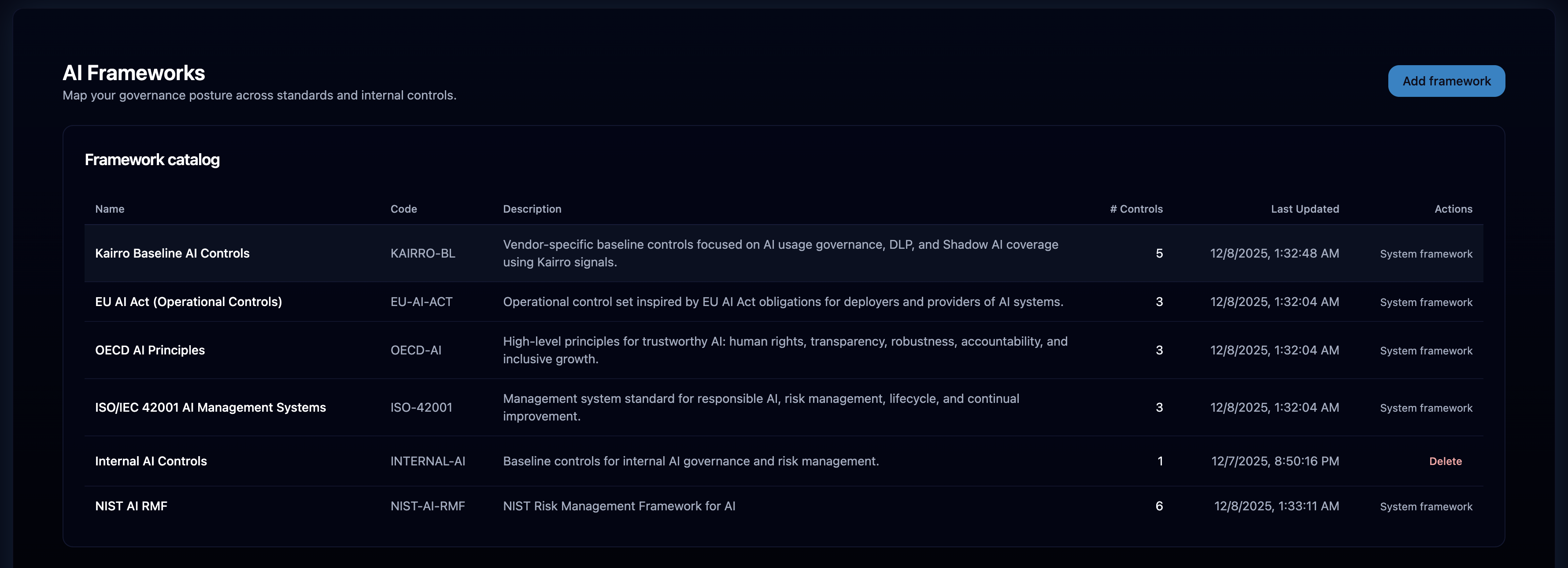
Frameworks bundle governance and compliance requirements; controls are the specific obligations Kairro measures automatically.
Structured requirements
Common AI governance frameworks plus a Kairro baseline for teams that need an operational starting point.
Evidence-backed obligations
Control IDs, status, score, mapped signals, and evidence tied to how the program is actually running.
Live operational signals
Policies, findings, shadow AI, incidents, and managed endpoint coverage can all feed control posture.
Framework Library
Curated, system-managed frameworks plus custom frameworks tailored to your program.
System frameworks
- NIST AI Risk Management Framework
- ISO 42001
- OECD AI Principles
- EU AI Act mappings
- Kairro Baseline Framework
Pre-loaded and protected for consistent posture tracking, while still leaving room for custom control sets.
Custom frameworks
Add org-specific frameworks and controls where you need more than the standard mapped library.
- Create and edit controls
- Map to policies and signals
- Blend manual and automated evidence
Governance guardrails
System items protect the mapped baseline while custom items remain flexible within RBAC.
- Cannot delete system frameworks/controls
- Protected mappings for auto scoring
- Continuous updates as standards evolve
Controls
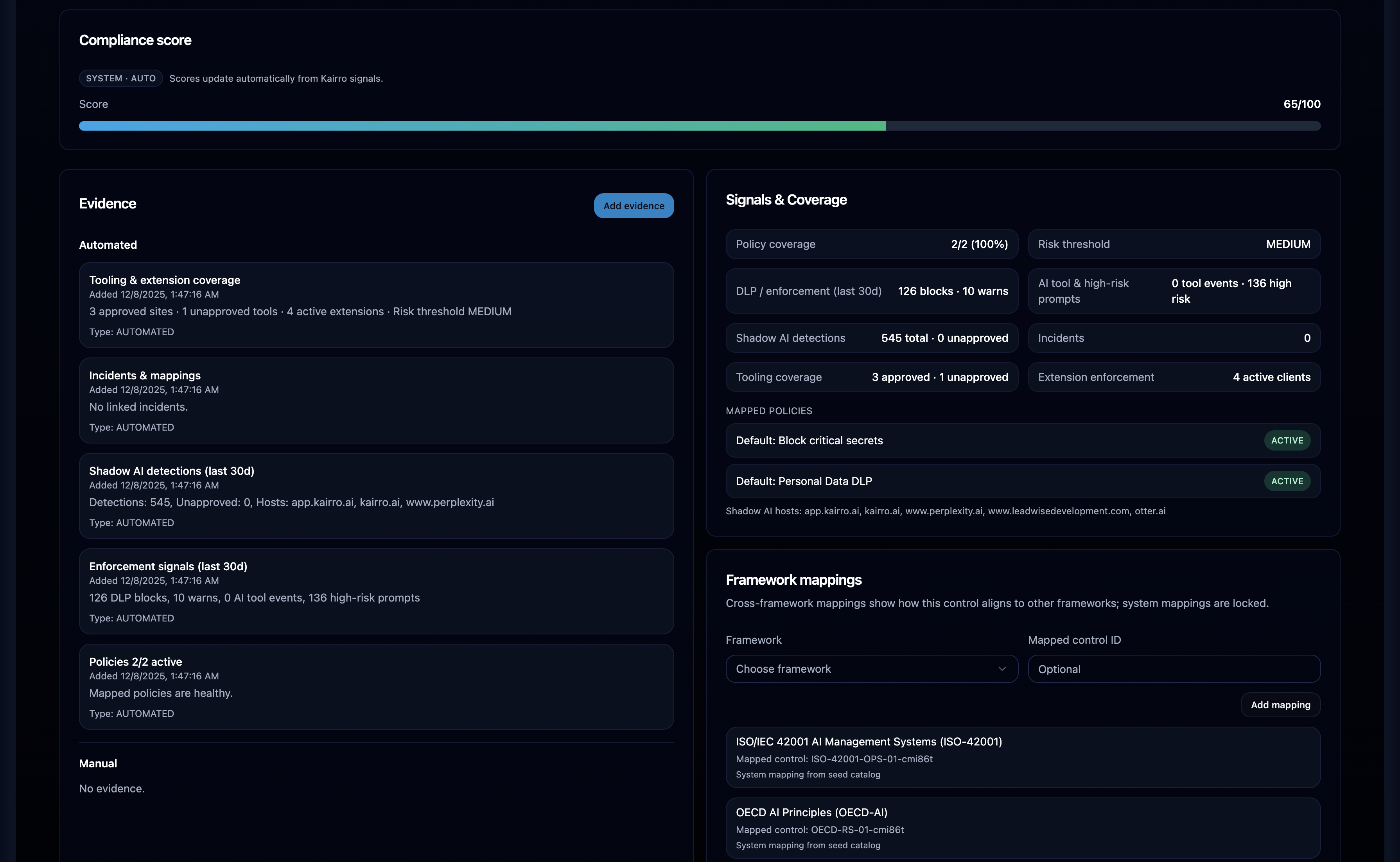
Each control carries IDs, mappings, scoring, evidence, incidents, and coverage indicators.
- Control ID and description
- Status, score, and coverage
- Incident counts and mappings
- Policies, events, Shadow AI filters
- Automated evidence plus manual (where allowed)
- Tooling coverage and endpoint footprint
- System controls: auto-scored & protected
- Custom controls: editable and manually scoreable
- Audit events for transparency
Browsing Frameworks & Controls
Purpose-built pages for frameworks, controls, and detailed evidence views.
Framework name, category, controls count, percentage complete, current governance posture. Selecting a framework opens its controls.
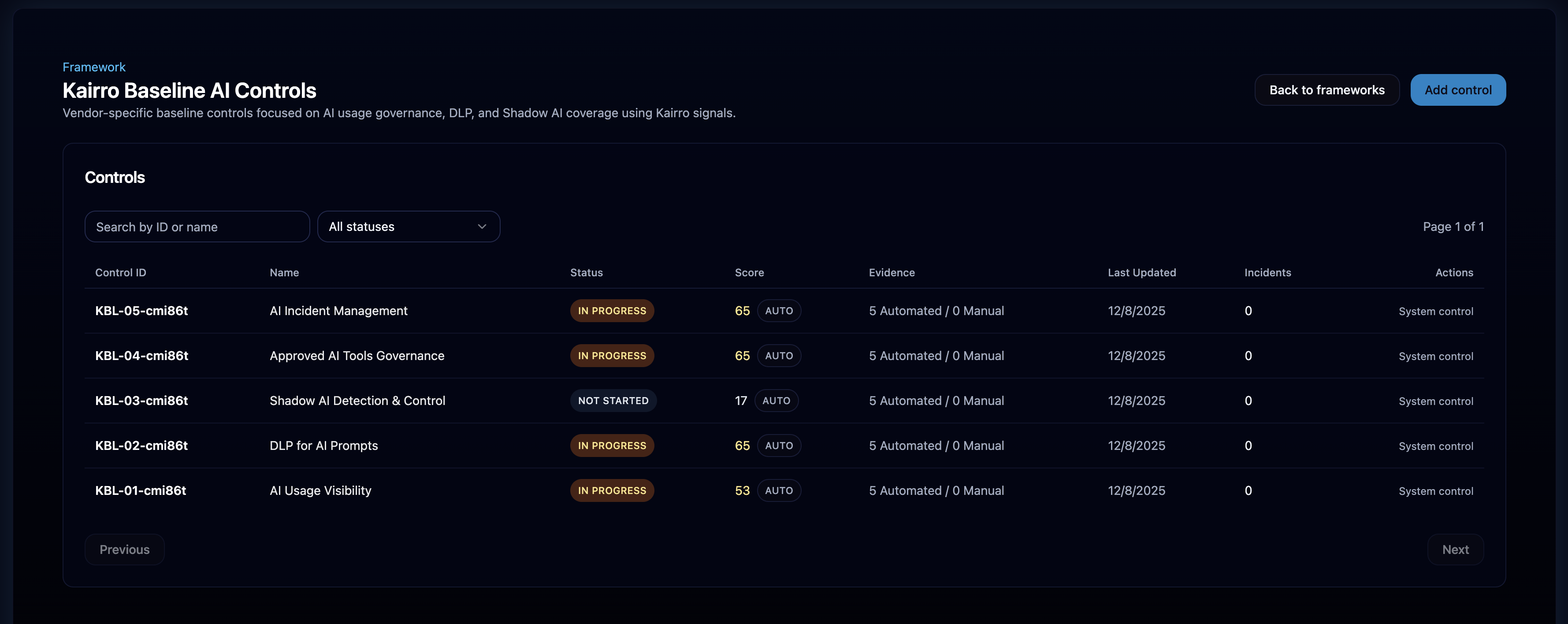
Control IDs, implementation status, score, evidence counts, incident/shadow signals, and permissions-aware "Add Control" with back navigation.
Description, automated and manual evidence, mapped policies, event linkage, Shadow AI detections, incident impacts, tooling coverage, score breakdown, and audit events.
How Scoring Works
Each control tracks score, status, and evidence so teams can understand not just posture, but why posture looks the way it does.
- Policies: 35
- Enforcement: 25
- Incidents: 15
- Shadow AI: 15
- Tooling: 8
- Risk Threshold: 2
- ≥ 90 → IMPLEMENTED
- ≥ 70 → PARTIALLY IMPLEMENTED
- ≥ 40 → IN PROGRESS
- < 40 → NOT STARTED
System controls recompute from mapped signals; manual adjustments apply only where custom controls allow them.
Driven by mapped policies, findings, incidents, shadow AI signals, tooling, and governance context.
Signal Inputs
Controls map to policy coverage, events, Shadow AI, incidents, and tooling coverage.
Active policies aligned to the control, IDs, names, defaults, enforcement strength, relevance.
DLP severities, block/warn/mask, high-risk interactions, policy outcomes; inferred event types when missing.
Unapproved hosts, discovered tools, high-severity Shadow AI events when mapped to the control.
Linked incidents, severity penalties, recurring issues reduce scores until resolved.
Approved vs unapproved tools, endpoint footprint, licensing, and risk threshold alignment.
Automated Evidence
Evidence regenerates on scoring recompute, stays immutable, and blends with manual inputs where allowed.
Policy coverage summaries, enforcement insights, Shadow AI detections, incidents, tooling and endpoint coverage.
- RecomputeRegenerated with each scoring run
- ContextPolicies, events, DLP, shadow, incidents, tooling
Automated evidence is immutable; manual evidence is allowed only for custom controls and within role permissions.
- ImmutableSystem-generated evidence locked
- ManualAllowed for custom controls when permitted
RBAC & Integrity Controls
System frameworks remain protected; custom items stay flexible within permissions with full auditability.
- Viewers are read-only
- System frameworks/controls cannot be deleted; mappings locked
- System scoring is backend-managed and read-only
- Custom controls editable within RBAC
- Manual evidence restricted to allowed roles
- Audit events ensure transparency
Recompute & Data Freshness
Scores refresh on schedule and on-demand; the UI always shows fresh data.
/v1/admin/frameworks/recomputeTriggers scoring recompute; automated evidence updates with each run.
Page loads pull updated scores, signal interpretations, evidence, incidents, and shadow counts.
Why This Matters
A live governance dashboard with automated evidence tied to AI signals, accurate scoring across policies, DLP, Shadow AI, and incidents, and clear gaps to close for major AI standards — turning governance into an operational capability.